
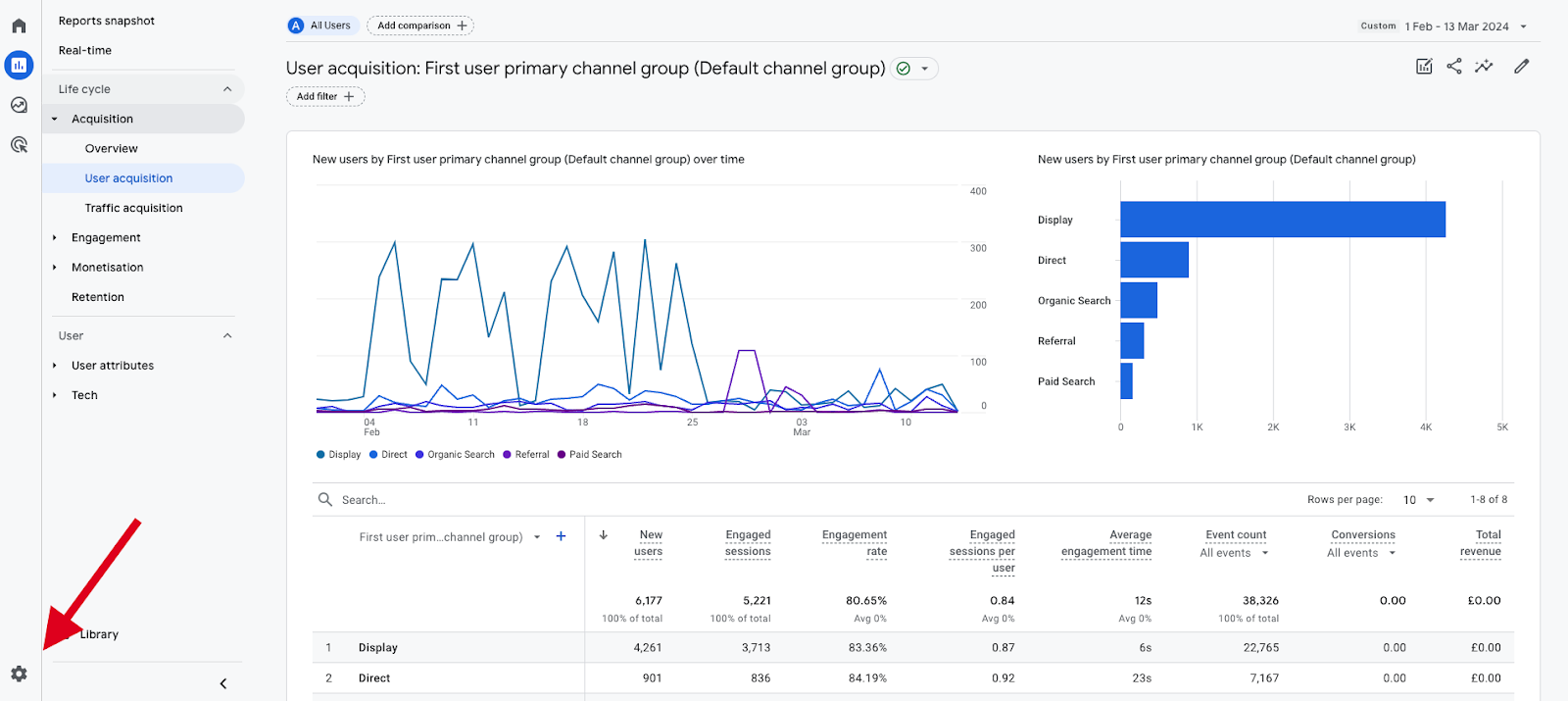
I have a quick update to share! Over the past month, whilst reviewing several Google Analytics 4 (GA4) accounts that I manage, I came across a rather peculiar pattern: There had been a significant increase in referral traffic across the board that largely seemed to be coming from a dubious source – “news.grets.store”.
After doing some Sherlock Holmes- style detective work, it appears that the website is not in the least bit legitimate, and it apparently seems to be directly firing people’s GA4 tags, which causes a spike in ‘referral traffic’, without any real engagement or time spent on the site itself. As you can imagine, this referral spam has the ability to significantly skew analytics metrics and subsequently reporting accuracy!
Now, why on earth would someone want to send fake referral traffic?? Well, it’s a tactic known as referrer / referral spam…
What is referral spam?
Referral spam targets analytical platforms such as Google Analytics 4 (GA4) with the purpose of sending false traffic data to analytics accounts, making them appear as if a large amount of traffic is coming from certain referrer sources / websites. Their primary goals, amongst others, include:
-
- Grabbing the SEO spotlight: Through an influx of the spammers’ URLs in your analytics, their aim is to get your attention in the hopes of you visiting their site, which will boost visibility & traffic, even if it’s artificial.
-
- Setting an SEO trap: By generating a large number of fake visits with specific keyword terms, spammers can attempt to manipulate search engine rankings. This practice could potentially be part of a broader black-hat SEO strategy.
-
- The ever-so-popular backlinking game: Through appearing in your analytics platform, these spammy links can potentially get backlinks from websites that publish their traffic data, which can falsely exaggerate the authority of their spam domains in SERPs.
How do I block / remove this spammy referral traffic?
A simple breakdown below shows the steps you can take to block any new unwanted referrals from being registered in GA4.
-
- Access GA4 Admin: Navigate to your GA4 ‘Admin Settings’ by selecting the gear icon at the bottom left of your screen for the Admin section
-
- Alter Data Streams: Click on the ‘Property Settings’ dropdown > ‘Data Collection & Modification’ > ‘Data Streams’.

-
- Set Up Tag Settings & List All Unwanted Referrals: Select the data stream / site that has been impacted by the spam referral traffic. Under ‘Google Tag’, click on ‘Configure Tag Settings’. Then, under ‘Settings’, click on ‘Show More’ > ‘List Unwanted Referrals’.
In here, you can add all domains you’ve identified as potential sources of spam. I have listed a few URLs I’ve found down below which would hopefully reduce the bulk of spam traffic coming from these sources in recent weeks.


-
- Last But Not Least, Save Your Changes: Ensure to save all your changes that you make!
Although this method may still show some of the referral traffic in real-time views under ‘direct’ traffic source, it helps ensure more accurate reporting. Additionally, as old data will remain, it’s also essential to apply similar filters and segments in other reporting platforms like Looker Studio to ensure consistency across the board.
Is this the only domain sending referral traffic?
Upon scouring the net, I’ve seen reports from other users who have also noticed other URLs utilising the same tactic. While this list is not extensive, here are a couple of URLs to be on the lookout for (I have obscured the full website’s name with x’s to prevent you from clicking on the links – we shall not let them take any wins here !!):
-
- news.grets.stoxx
-
- kar.razas.sixx
-
- game.fertuk.sixx
-
- info.seeders.websixx
-
- Garold.dertus.sixx
To address this, blocking IP addresses associated with these domains might be necessary. One thing to note is that blocking the IP ranges rather than the specific IPs might save you time down the road should these sources shift IP addresses. In the end, while this solution might not be foolproof for everyone, it’s one way to tackle the challenges posed by this type of ghost/spam traffic.
In the meantime, I’ll continue being on the lookout for such disruptive digital patterns, and create effective & efficient solutions to minimise the impact it has on your business. If you’ve experienced similar issues or have alternative solutions, feel free to share your thoughts by contacting us today!
The Covid-19 pandemic might be over, but this spam-demic seems to have taken the SEO world by storm. It will not prevail though…
Fancy speaking to an expert & having this problem solved without lifting a finger? 👀 Of course you do! Get in touch with our Technical SEO Manager, Tammy for a review of your site & GA4 account today.
